Redwood Insights: Observability embedded into workload automation
Transform your automation from a series of opaque processes into a transparent, self-healing ecosystem. Move beyond firefighting to proactive, data-driven optimization with a built-in toolkit for effective problem management, governance and business intelligence.

Get full visibility into your critical business processes
Go beyond basic monitoring functionality to engage in true problem solving, empowering your IT teams with efficient tools to prioritize and focus on innovation.
-

Reduced risks and costs
Optimize resource allocation, reduce inefficiencies and fully understand your automation landscape.
-

Continuous improvement
Identify and address potential issues before they impact your business, so critical processes run smoothly as you scale.
-

Simplified governance
Simplify compliance with audit-ready dashboards, downloadable reports and comprehensive audit trails.
-

Democratized insights
Break down silos. Securely share tailored automation insights with finance, supply chain and data teams.
-
Dynamic visualizations
Explore connections and real-time impacts of configuration and runtime behavior on workflows, jobs, queues and more.
-

Advanced data analysis
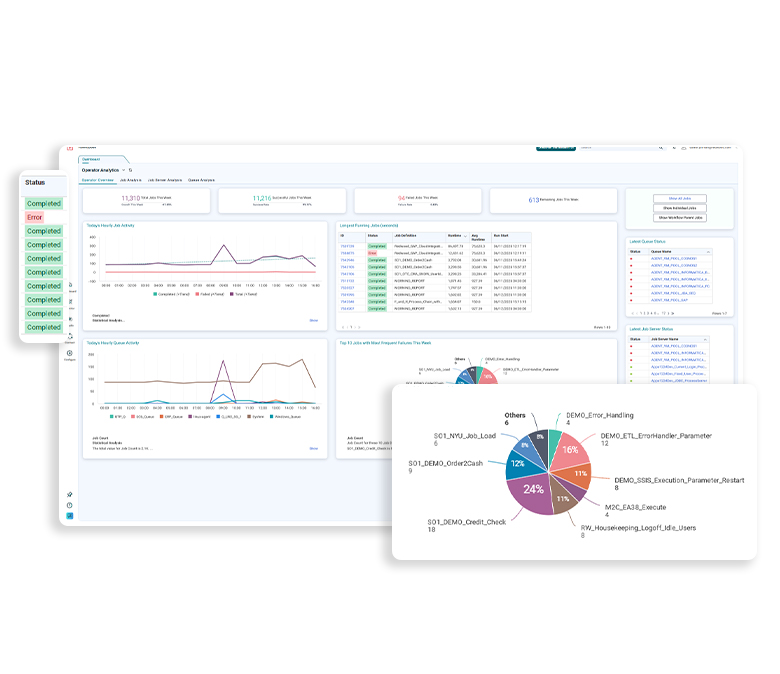
Redwood Insights generates smart narratives in dashboards, helping you understand complex situations and make faster decisions.
Observability for ongoing optimization
Turn workload automation telemetry into a continuous feedback loop that improves performance, governance and cost over time. Resolve issues faster today while building the insight foundation to prevent future incidents and outages.
- Analyze and correlate failures: Expedite troubleshooting and perform root-cause analysis by mapping patterns between failed jobs, dates and performance factors.
- Optimize performance and throughput: Identify process improvements and resource inefficiencies using heat maps, smart narratives and job performance overviews.
- Strategic trend analysis: Identify long-term trends and seasonal bottlenecks with 15 months of historical data retention.
- Cross-functional visibility: Align automation with business KPIs through custom, shareable dashboards for cross-departmental stakeholders.
- Simplify governance and auditing: Monitor all object activity and generate auditor-friendly compliance reports with just a few clicks.
Redwood Insights: Integrated intelligence
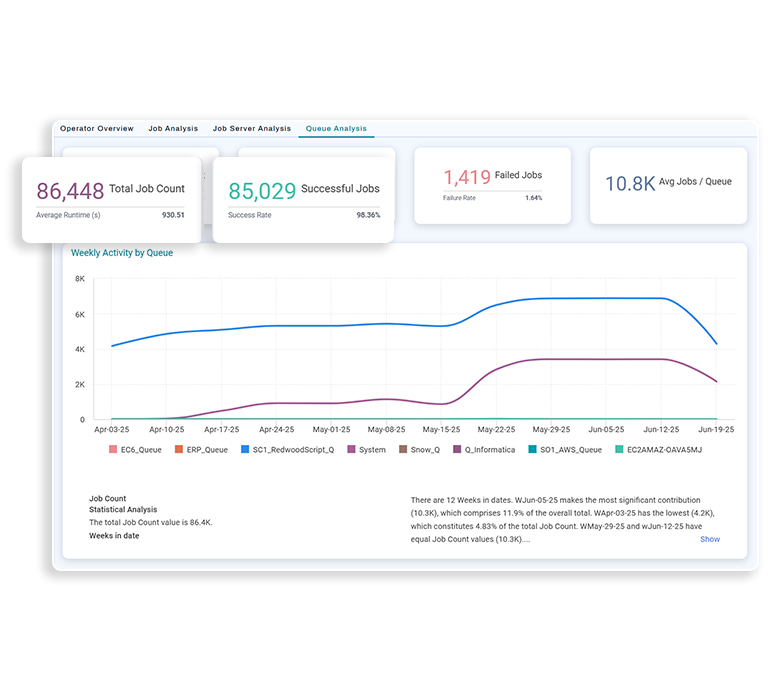
Available to all RunMyJobs by Redwood SaaS customers, Redwood Insights embeds observability directly into workload automation. Accelerate problem resolution, optimization and operational confidence.
- Operator dashboards: A high-level view of system health to spot issues at a glance
- Admin and audit views: A complete record of object changes and job history to simplify governance and compliance reporting
- Contextual insights: Drilldowns into jobs, workflows and queues from the RunMyJobs interface
- AI‑powered smart narratives: Automatically generated explanations that translate complex data into clear, actionable insights


Redwood Insights Premium: Advanced analytics
Redwood Insights Premium extends observability beyond IT, transforming automation data into a shared strategic asset. With custom dashboards and extended data retention, teams across the enterprise gain self‑service access to the insights that matter most to them.
- Custom dashboard builder: Options to create no‑code, role‑specific dashboards tailored to domains like SAP operations, cloud infrastructure or business processes
- Business process observability: Tracking for end‑to‑end health and SLA risk for critical workflows, such as order‑to‑cash or supply chain execution
- Executive and ROI reporting: Automation performance aggregated into high‑level views that demonstrate stability, efficiency and business value
- Extended historical analysis: Access to up to 15 months of execution data to support year‑over‑year trend analysis, planning and audit-readiness
Tailored perspectives for every role
Get holistic information and dive deep into jobs, workflows and more with an observability solution designed specifically for workload automation.
-

For operators
Give your Operations team the tools they need to understand trends and improve reliability.
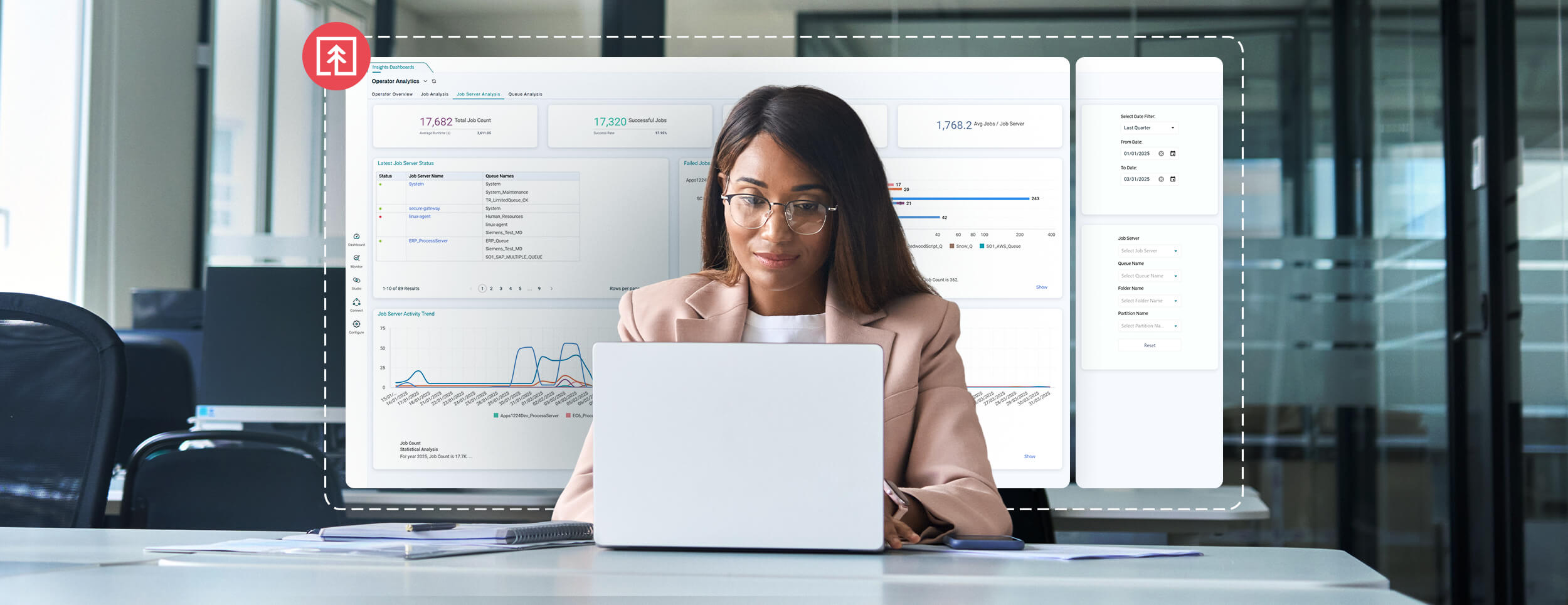
- Operator Overview: Get a high-level view of automation health and identify top-failing jobs.
- Job, Queue and Job Server Analysis: Drill down into specific jobs, queues and servers to investigate performance and resource contention.
-

For administrators
Enable administrators to easily assess governance and demonstrate compliance to auditors.
- Object Audit Summary: Track all changes to automation objects for complete visibility.
- Job History Summary: See aggregate historical job data for forensic analysis.
-

More dashboards for deep dives
Explore further with object-specific dashboards on contextual menus — targeted views for critical analysis.
- Queue and Job Server Insights: Analyze resource contention, isolate system-specific problems and export stakeholder-ready reports with job schedules for that period.
- Job and Workflow Insights: Get a complete historical view of specific jobs and workflows to understand performance trends.
Problem management software FAQs
Is problem management part of ITSM?
Yes. Problem management is a core process within IT service management (ITSM). It focuses on finding and resolving the underlying causes of known problems and recurring incidents to prevent future service disruptions. As its goal is to identify known errors and implement permanent fixes, it’s closely related to the incident management process and supports the service desk in improving service delivery over time.
What is ITSM software?
IT service management (ITSM) software helps IT professionals streamline the delivery of IT services. It typically includes tools for incident resolution, problem management, service requests and change management, all aligned with best practices like IT Infrastructure Library (ITIL). Many ITSM tools also support knowledge management, helping IT team members document known errors and solutions for faster resolution and better user experience.
What is problem management KPI and CSF?
Problem management key performance indicators (KPIs) measure the effectiveness of the problem management process, such as the number of recurring incidents or resolution-time root causes. Critical success factors (CSFs) are the essential activities or conditions, like having accurate incident data or cross-team collaboration, that must be in place for successful problem management.
Keep exploring intelligent automation
Solve IT problems and more with modern orchestration.



Solutions
Company

© 2026 All Rights Reserved
